Many adults lose 22 to 27 days of productivity each year because of persistent symptoms. This piece explains how structured planning tools help reclaim that time. It focuses on practical ways people can reduce decision fatigue and time blindness.
The article reviews seven planners built for ADHD brains and shows how the right app or planner can support daily routines. Morgen is highlighted for its frame-based schedule and rated 4.9 on G2. It costs $15/month and helps users map days, weeks, months, or a year.
Readers will learn simple steps to get started using reminders, lists, and calendars to keep projects on track. The goal is to make planning feel manageable, reduce overwhelm, and improve focus today.
Understanding personal needs for accountability and routine is the first move toward better time use. This introduction sets up clear, actionable guidance for people seeking the best ADHD productivity apps and tools.
Understanding the ADHD Brain and Productivity
Starting a simple task can feel overwhelming for adults whose brain processes time and priority differently. That struggle affects how people plan a day, estimate effort, and keep to meeting times.
The Impact of Executive Dysfunction
Executive dysfunction often shows up as trouble initiating work and breaking projects into steps. An ADDitude survey of 1,859 adults found 56.59% struggle with procrastinating on important tasks.
“31.35% of respondents report difficulty estimating how long a task will take.”
- Difficulty starting a task leads to lost productivity and stress.
- External lists and notes reduce mental load and increase follow-through.
- Using a planner or a simple app helps divide projects into manageable steps.
Overcoming Time Blindness
Time blindness makes it hard to sense passing minutes and hours. This leads to missed deadlines and forgotten reminders.
Practical steps include using a calendar, setting visible reminders, and tracking how long tasks take. Whether someone chooses a pro tool like Todoist or a basic calendar, the goal is clear: create routines that fit the way their brain works.
Small, consistent supports—lists, filters, short sessions, and accountability—help adults reclaim time across a month or a year and improve overall productivity.
Why Visual Task Management ADHD Tools Are Essential
A structured view of the day turns vague intentions into concrete actions people can complete. Concrete layouts give the brain clear anchors: what to do, when to start, and how long it should take.
These tools fight time blindness by showing blocks on a calendar, lists, and color-coded filters. Seeing a month or a single day reduces anxiety about big projects and makes planning simpler.
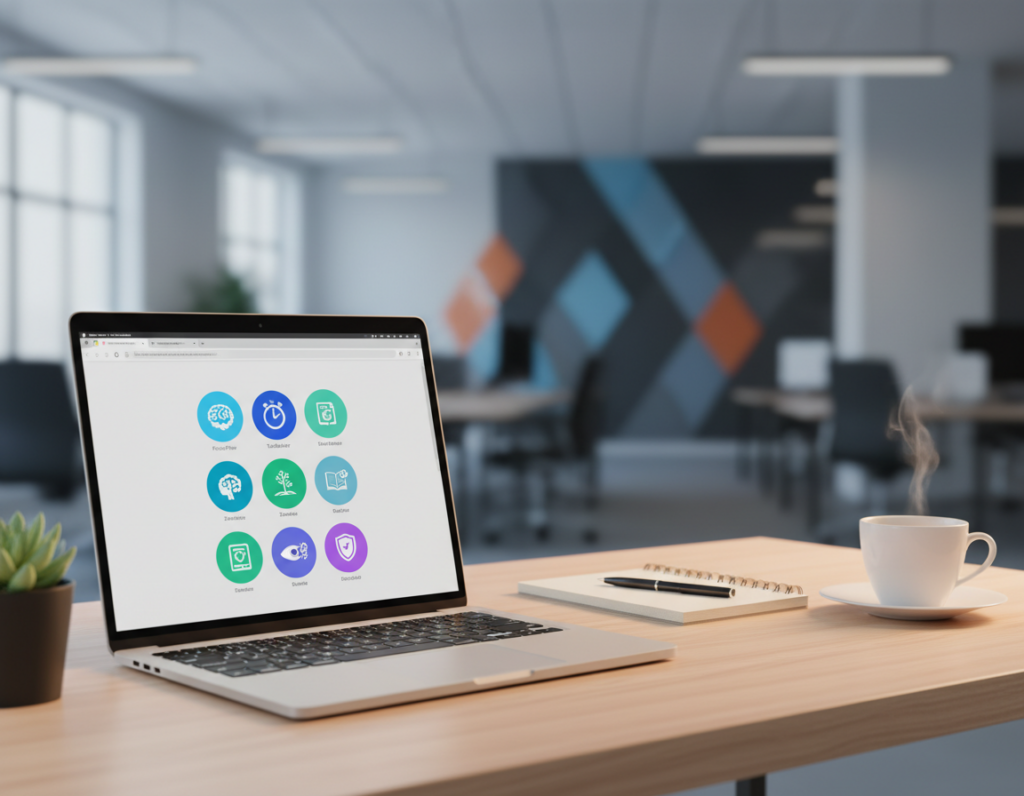
Apps like Tiimo use icon-based planning and countdown timers to ground users during short sessions. Morgen pulls Notion, Linear, and Todoist into one calendar so people avoid switching between notes and thoughts.
Best tools add reminders for every meeting, let users set filters to view a week or a year, and offer planners that support routines. For adults who struggle to focus, these features deliver practical support today.
- Concrete calendars and lists reduce mental load.
- Countdown timers and reminders keep meetings on track.
- Integrated apps cut context-switching and boost productivity.
Leveraging Time Blocking for Better Focus
Creating repeatable time blocks changes a scattered day into a predictable rhythm. This method reduces the number of small choices people make and frees attention for real work.
Implementing frame-based scheduling means naming blocks like “Deep Work” or “Admin” and making them recurring on a calendar. Morgen’s Frame system lets users do this and tailor which tasks appear during each block.
Implementing Frame-Based Scheduling
Frames can filter so only relevant tasks show, stopping unrelated suggestions during focus sessions. That keeps lists and notes unified with the day plan.
- Dedicate blocks to top tasks to protect attention and move projects forward.
- Use reminders when a frame starts to combat time blindness and smooth transitions.
- Review the month view to balance personal and work commitments and keep routines steady.
Many adults find this way of planning is one of the best adhd strategies for sustained productivity. With consistent frames, an app or planner becomes a tool that supports clearer work and fewer interruptions today.
Using AI to Break Down Complex Projects
AI can translate big, vague projects into clear sequences that are easier to begin. Tools now convert scattered thoughts into step-by-step plans so people can act without freezing at the start.
Goblin Tools, for example, uses AI to split an abstract idea into a 10-step checklist. That checklist makes each item feel small and doable.
Motion’s autopilot goes further and schedules those items into a calendar based on priority and deadlines. It helps with planning but can sometimes overfill the day.
- Break projects into tiny wins: AI creates short lists that trigger momentum.
- Automate scheduling: Let an app place work into your month so you focus on doing, not planning.
- Capture everything: Integrations like Todoist ensure notes and reminders never get lost.
Many adults with attention differences find AI features among the best adhd aids for beating start-up paralysis. By handing over reminders and scheduling, the tool frees attention for the actual work.
The Role of Virtual Body Doubling
Joining a live coworking session turns solitary work into a shared routine that boosts follow-through.
Virtual body doubling is a simple, effective way to start and sustain small tasks. Platforms such as FLOWN run quiet, structured sessions where users work alongside others to keep focus.
Benefits of Virtual Coworking
Working with others creates steady external cues. That helps reduce procrastination and shortens the time it takes to begin a task.
- Sessions provide real-time accountability and lower activation energy.
- Coworking apps often let members share a list or planner goals to increase commitment.
- Many people report better productivity when they pair sessions with a calendar or reminders.
Finding Accountability Partners
Services like Focusmate offer unlimited sessions for about $9.99/month. They are a low-cost way to build routine.
Whether using an app or joining a small group, pairing sessions with clear planning and notes helps move projects forward. For many adults with attention differences, these tools rank among the best adhd supports for consistent progress and accountability.
Selecting the Right Digital Planner
Picking a planner that matches how someone thinks can cut daily friction and make planning feel simple.
Choosing between paper and digital matters. The Happy Planner is a popular disc-bound system for people who prefer a tactile, customizable layout. It lets users rearrange pages and add sections for weekly or monthly overviews.
For iPad users, GoodNotes and Notability offer flexible templates that sync with calendars and notes. These apps let someone combine handwriting, typed lists, and imported PDFs in one place.
When evaluating different planners, focus on features that help manage tasks and time across a month. Look for reliable reminders, a connected calendar, and easy access to project lists.
- Decide if tactile editing or app sync fits daily habits.
- Choose a planner that centralizes work, reminders, and notes.
- Try a few systems; the best adhd planner is the one they use consistently.
“The right planner becomes a central hub that reduces friction and keeps projects moving.”
Managing Time Blindness with Visual Timers
Seeing time pass in a simple, colored arc helps people know when to start and stop work. These aids make minutes feel real and reduce the guesswork of daily planning.
Visualizing Time Passage
The Time Timer is a physical tool that displays a colored section for the remaining minutes on a clock. It also offers a free app for Apple and Google users that mirrors the same idea on phones and tablets.
Making time visible supports better calendar habits and stronger transitions between activities. It helps prevent getting lost in hyperfocus and keeps tasks aligned with the day.
- Visual timers give a tangible sense of how much time is left for a task.
- Many apps now sync timers with a planner or calendar so reminders match scheduled blocks.
- Using a physical timer or app helps reduce blindness and eases switching between activities.
- These tools are simple, practical supports that improve planning and boost consistency.
“A clear countdown turns an abstract hour into an actionable period.”
Integrating Physical and Digital Systems
A hybrid system can balance the tactile comfort of paper with the syncing power of apps. Many people keep a paper bullet journal for daily tasks while using a digital calendar for meetings and deadlines.
Linking those systems makes reminders consistent across devices. Tools like Trello offer third-party integrations so boards feed into calendars and other apps. This keeps tasks visible and reduces missed items.
The hybrid approach gives structure and flexibility. A paper list keeps the day’s task front and center. A synced calendar manages long-term time and meeting planning.
- Use a paper planner for quick daily lists and momentum.
- Keep a digital calendar for meetings, deadlines, and automated reminders.
- Connect boards or notes so tools sync and nothing slips through the cracks.
When someone refines this routine, they get a unified view of tasks and time. For many with adhd, mixing methods reduces friction and improves consistency.
Building Sustainable Daily Routines
Simple appointments for routine actions reduce friction and preserve willpower. Setting a weekly slot to review the calendar—say Monday morning—creates a predictable anchor that supports consistency.
Preparing clothes and packing a bag the night before cuts morning stress. That small routine saves time and reduces the number of decisions needed at the start of the day.
Use an app or a paper cue to set reminders for key habits. Reminders ensure busy days do not erase important steps and keep core tasks visible.
- Build short, repeatable steps so tasks feel manageable.
- Schedule a weekly planning appointment to review time and priorities.
- Pair an app with a physical prompt so systems stay in sync.
“Consistency beats intensity: small daily habits compound into reliable results.”
These tools and simple routines support the brain and cut decision load. Over weeks, the plan becomes automatic and helps maintain steady productivity.
Conclusion
Closing a planning system into a daily habit gives someone steady gains in focus and follow-through. This approach supports simple task organization and better time management without adding complexity.
They should try a few apps and a paper method, keep what works, and drop what does not. Use reminders and short lists to protect momentum. Research on schedule-based interventions supports using simple cues and prompts; see this schedule-based interventions study for more context.
Patience matters. With consistent use of reminders and sensible tools, tasks become routine and daily work improves. The goal is one system that helps them focus on what truly matters.